A mobile LIMS built for the phone, not shrunk onto it
Your technicians aren't at a desk. They're at test stands, chambers, and the receiving dock. LIMSey's mobile screens are designed specifically for the phone, so results get recorded where the test happens.
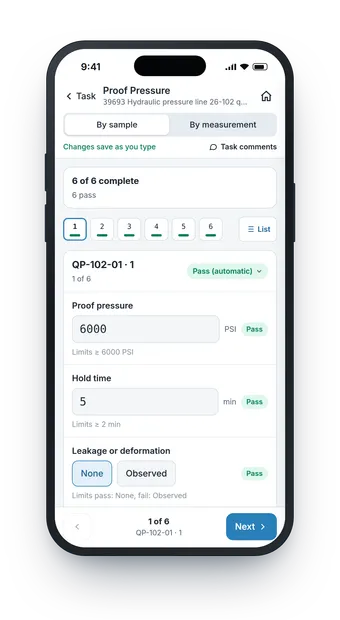
Enter results at the test stand
Open a task and step through it one sample at a time. Every measurement shows its limits right under the field, and LIMSey marks it pass or fail automatically as the value goes in. Changes save as you type, so there's no save button to forget before the phone goes back in a pocket.
- One sample per screen, with Next and Previous to move through the set
- Limits under every field, with pass/fail set automatically
- Enter by sample, or by measurement across every sample
- Task comments without leaving the screen
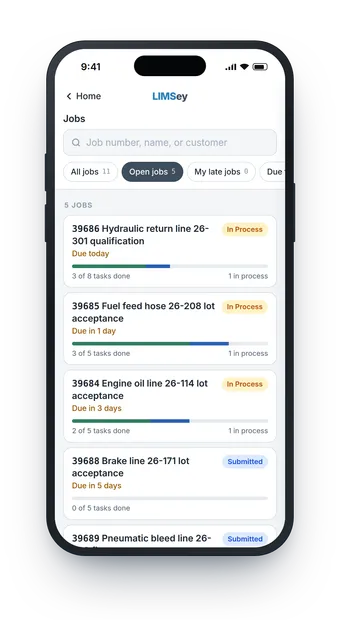
Check job status from the lab floor
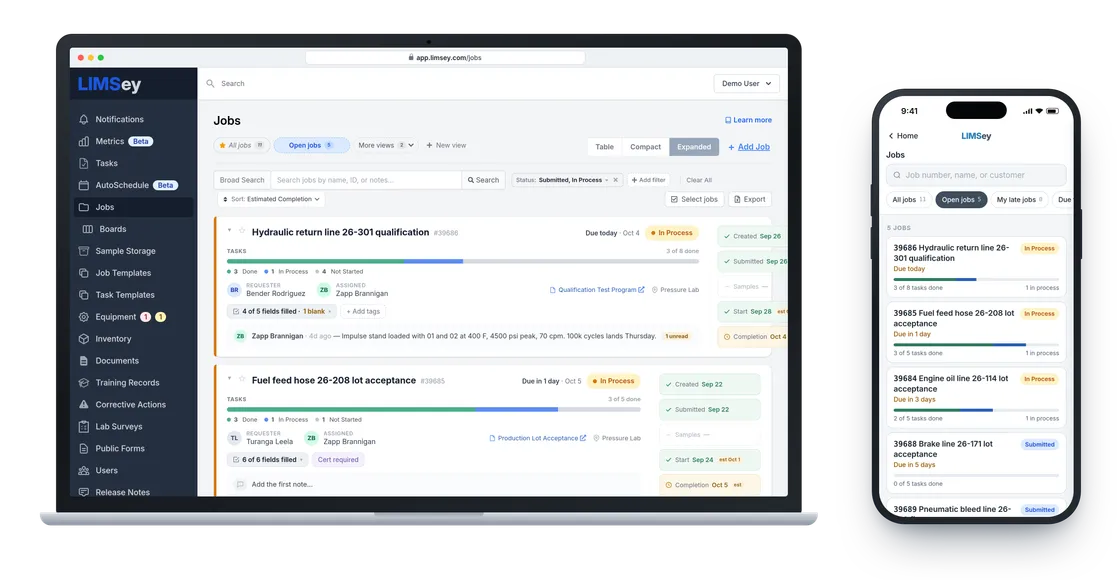
Search jobs by number, name, or customer, and filter to open jobs or your own late ones. Every job shows its status, due date, and how many tasks are done, so "where's my job?" gets answered without walking back to a computer.
- Search by job number, name, or customer
- Quick filters for open jobs and your late jobs
- Task progress and due date on every job
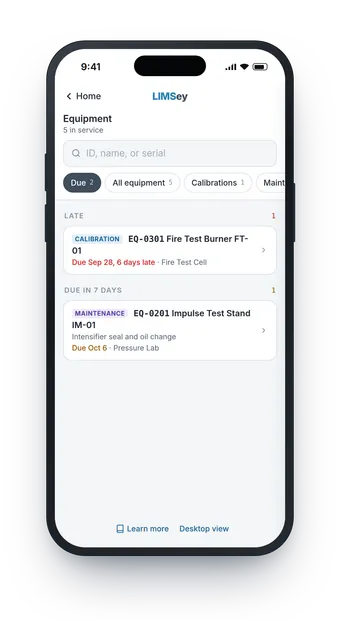
Know which equipment is ready before you use it
The Due list puts late calibrations and maintenance coming up in the next seven days at the top, so nobody runs a test on an instrument that's out of calibration. Look up any instrument by ID, name, or serial, see whether it's up or down, and mark routine maintenance complete while you're standing at the machine.
- Late calibrations and maintenance due this week in one list
- Search by equipment ID, name, or serial
- Up or down status, with out-of-calibration equipment flagged
- Mark maintenance complete and add equipment log entries from the phone
Nothing to install
The mobile screens run in the phone's browser. There's no app to roll out, approve, or keep updated on every technician's phone.
Sample storage and inventory
Check sample storage and inventory from your phone while you're standing at the shelf.
The full desktop view, one tap away
When you need something the phone screens don't cover, like recording a new calibration, switch to the full desktop view in one tap.
Two screens, one record
The phone and desktop screens work on the same LIMSey data. A result entered at the test stand is the same result the lab manager sees on the desktop, in reports, and in dashboards, with every change in the audit trail.
What to look for in a mobile LIMS
Plenty of LIMS can technically open in a phone's browser. That usually means pinch-zooming a desktop table with gloves on. A mobile LIMS worth using at the bench should have:
- Screens designed for the phone, not a desktop layout squeezed onto it
- Result entry with limits and pass/fail shown at the point of test
- Saving as you go, so nothing is lost when the phone goes back in a pocket
- Nothing to install, so there's no app to roll out to every phone
- The same record as the desktop, with no syncing or exporting
- No separate mobile module or add-on fee
LIMSey is the LIMS built for engineering and materials test labs at manufacturers, with every feature included in one per-user price. The mobile screens work alongside sample tracking, job tracking, and calibration management on the desktop.
Put LIMSey where the testing happens
See the mobile screens and the desktop app together in a live demo.