Lab scheduling software that keeps up with your lab
Tell LIMSey what your people and equipment can do, how long each step takes, and what's most important. The Schedule plans every test onto a person and a machine, and replans when work changes.
Scheduling that keeps up with reality
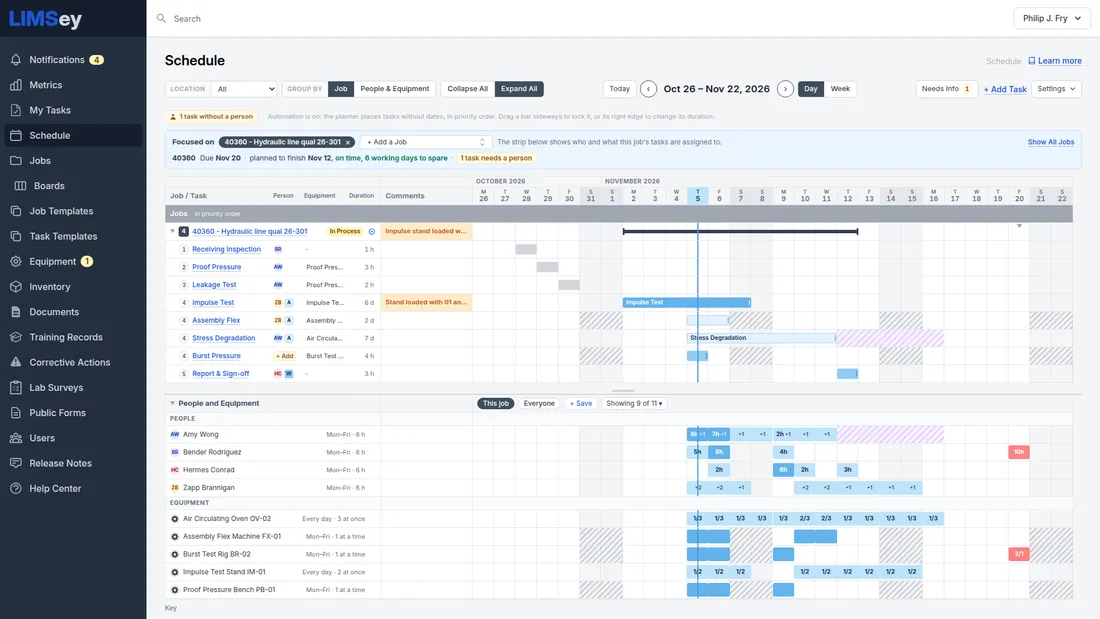
Manual schedules are stale the moment something runs long. LIMSey's Schedule places each task with the person or machine that could start soonest, and replans when a test runs over, a job's priority changes, someone takes time off, or a machine goes down — no replanning meetings required. Dates someone set stay put, and the next few working days stay settled, so a rush job can't rearrange tomorrow.
- Name who and what can do each task: one person, or anyone in a group
- Set durations once, in templates, with suggestions from past tasks of the same name
- Focus on a job to see whether it finishes by its due date, and what it still needs
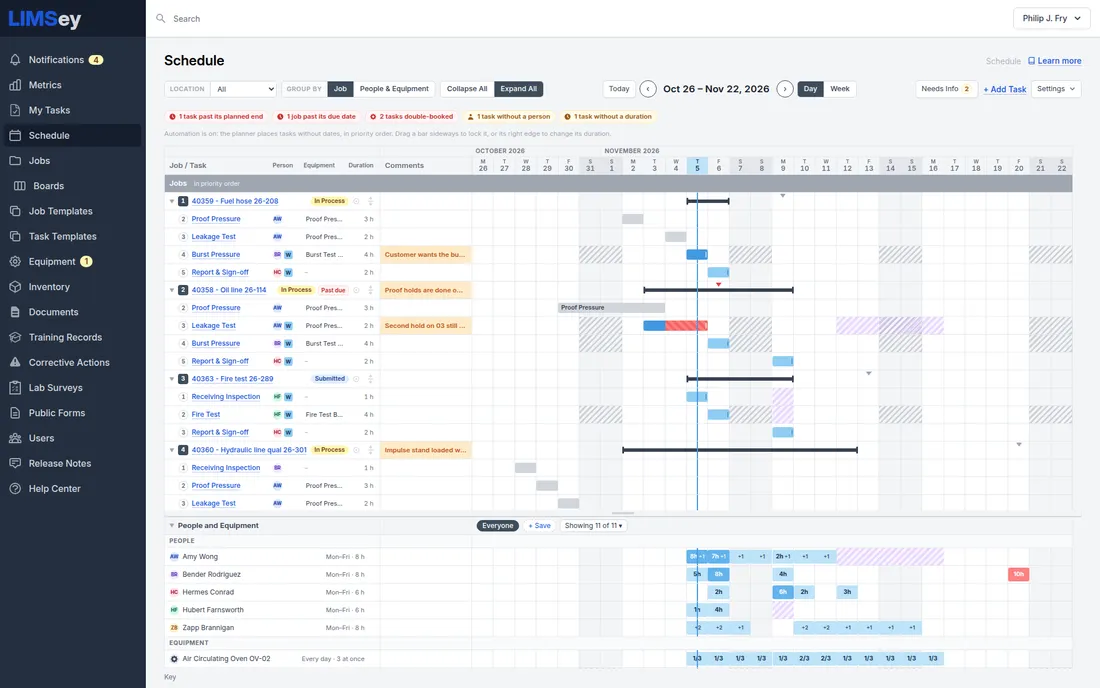
See everyone's plate at a glance
A strip under the jobs shows how busy every person and every piece of equipment is each day — so you can spot overloads, idle equipment, and double-bookings before they cost you a deadline. Drag a task onto a person or machine to hand it over, and each row outlines where it would fit. Requesters get realistic completion dates instead of guesses.
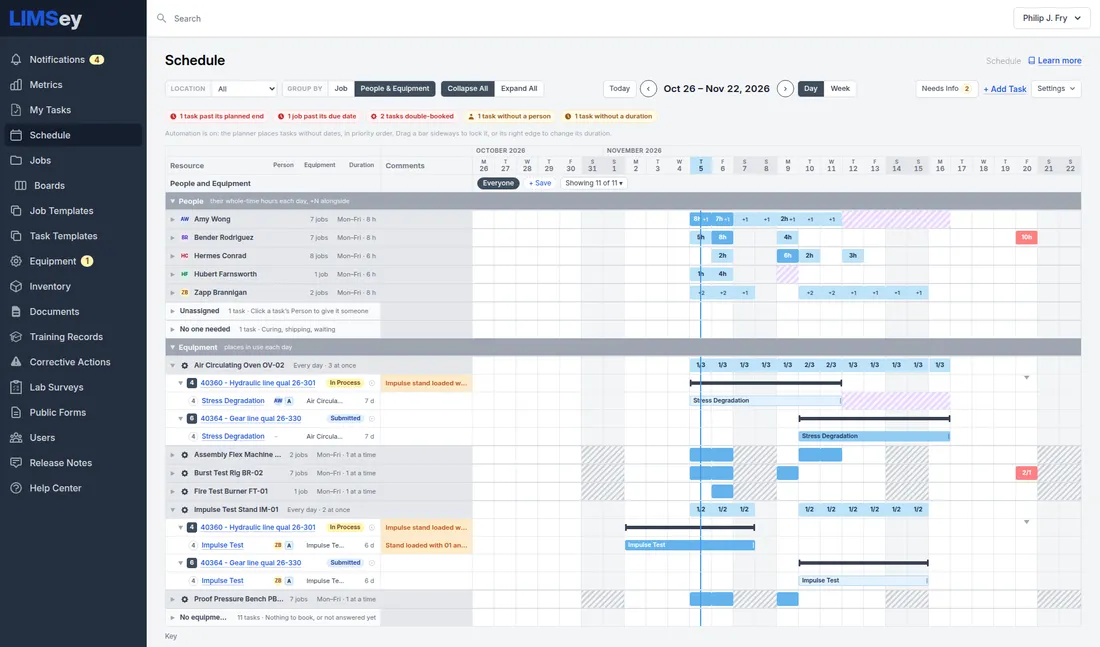
Lab equipment scheduling that knows each machine
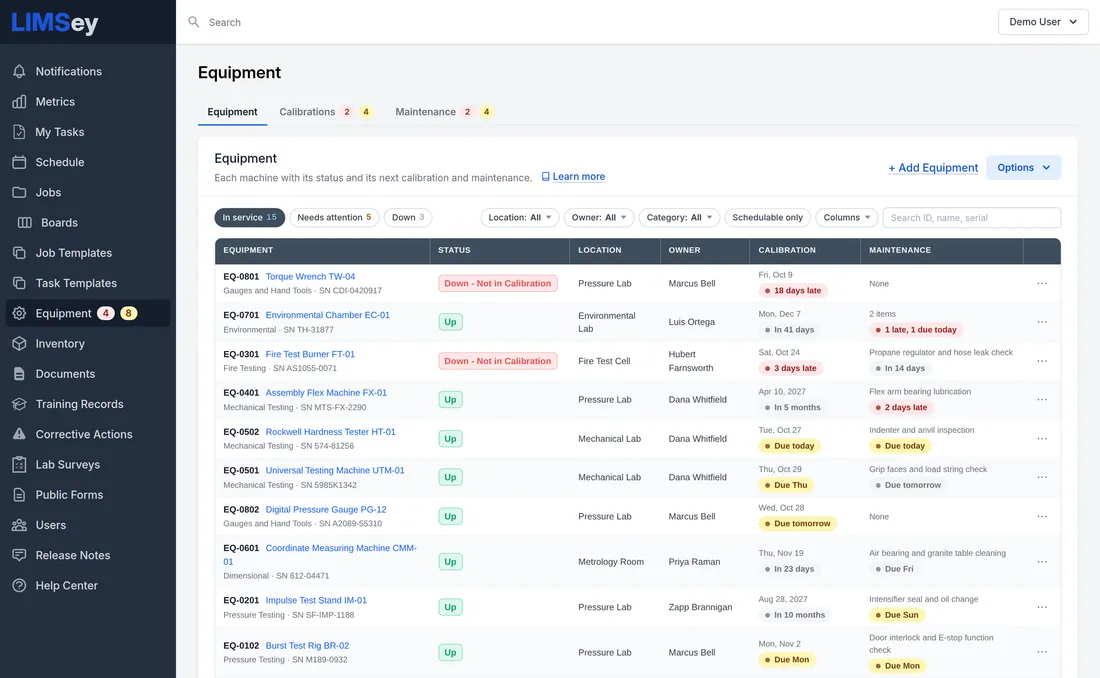
Equipment scheduling in LIMSey isn't a booking calendar people fill in by hand. Each task says which machine it needs, either one specific frame or any machine of a kind, and the Schedule books whichever could start soonest. It knows the days and hours each machine runs and how many runs it takes at once, and it keeps work off a machine during planned downtime, while it's Down or Out of Service, and while it's out for calibration.
- List several machines, or every machine of a kind, and the Schedule picks one
- A chamber with room for two runs takes two at once; multi-day runs count weekends too
- Gauges and loggers that don't need booking still go on the task's record, with their calibration
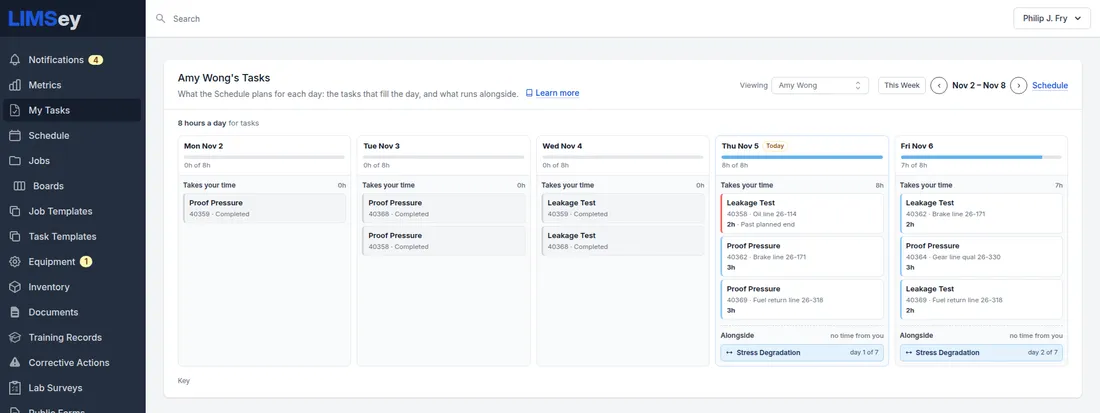
Everyone knows their week
My Tasks gives each person their week from the Schedule: for each day they work, the tasks that take their time, what runs alongside, and what they finished. Drag a task to another day to lock it there. On the phone, My Tasks is on Home.
Fair queues, predictable dates
When everything is "hot", nothing is. LIMSey makes priorities explicit: jobs line up by their due date, moving one ahead is a deliberate drag on the Schedule, and each job shows whether it finishes by the date it was promised — so the lab rewards requesters who plan ahead instead of whoever shouts loudest.
Let the schedule run itself
Book a demo and watch the Schedule replan a week's work in seconds.